MLS IDX Connection Steps
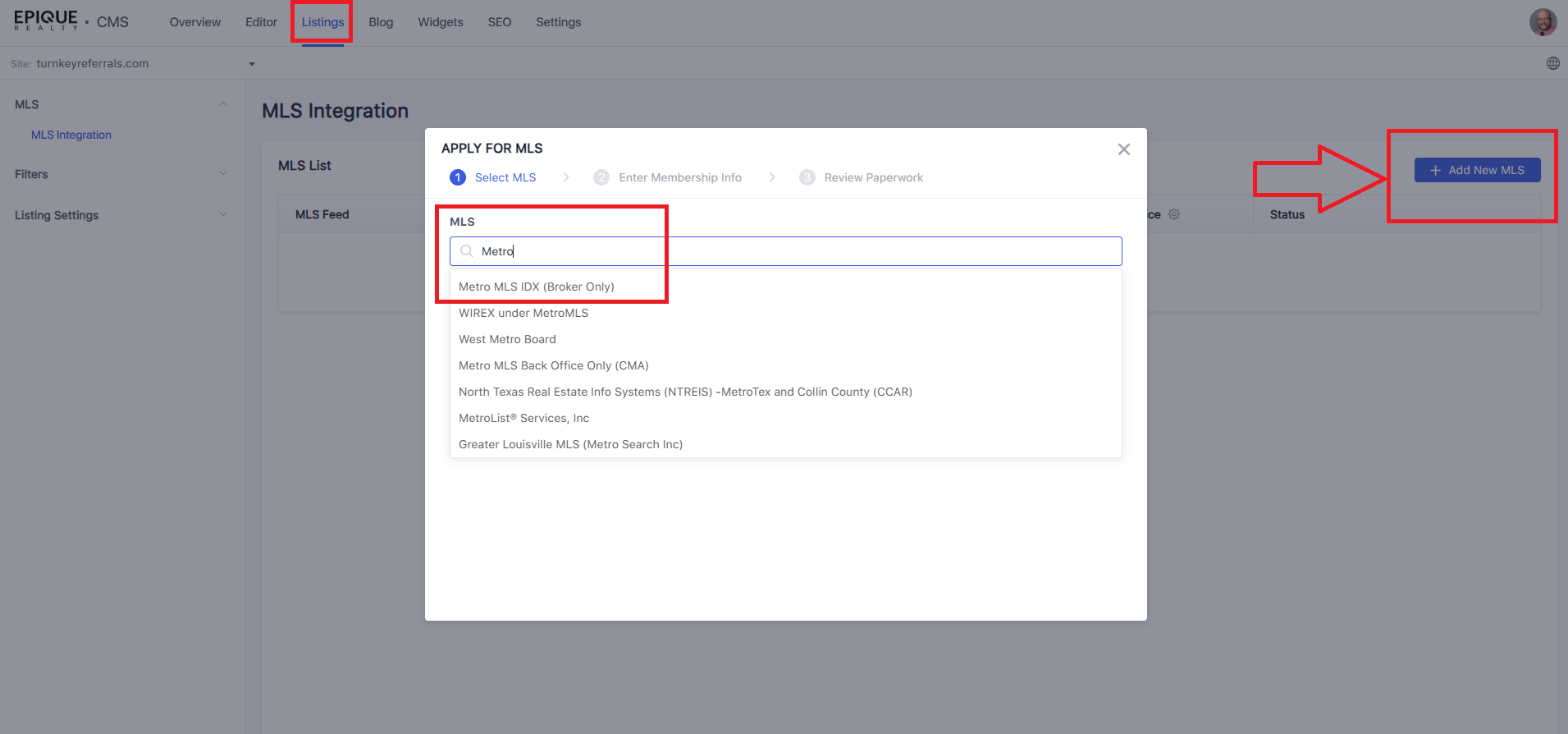
In Lofty, click on Website on the top menu, then Listings on the top menu. Click the Add MLS button in the upper right corner. Do a search for Metro MLS and then select the "Metro MLS IDX (Broker Only) option.
Enter your information on the next screen. It will give you a link to go to https://metromls.com/application-to-frame-a-website/ which is what you want to do. You are going to "frame" your site from the broker site. What this means is Metro MLS wants the listing display pages to be 100% identical to the broker standard site we have set up. Lofty knows how to handle this, but this is the proper form to use at this link.
For a screen-by-screen walkthrough, use this link here:
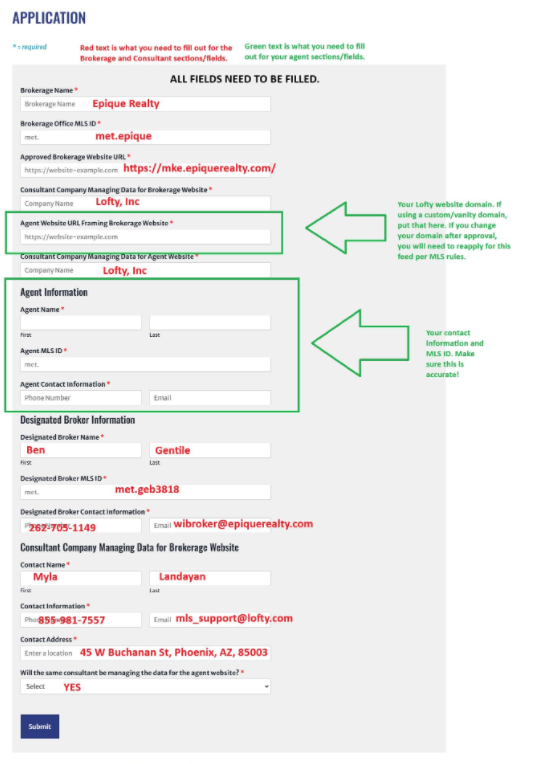
This form will require certain information of the brokerage, the vendor (Lofty), and you the agent. Lofty's information is below. A sample of the form properly filled out is at the end of the link workflow above. It's also located at the bottom of this page for reference. The information in red you need to enter for the broker and vendor/consultant sections. The green section is your agent info.
Vendor Name: Lofty Inc.
Consultant: Myla Landayan,
Address: 45 West. Buchanan St.
Telephone number: 855-981-7557
Email Address: mls_support@
Vendor Website: https://lofty.com
https://metromls.com/application-to-frame-a-website/